
Operational Communication
Communication that follows the operation.
OffBlock automatically connects OCC, Crew and Ground through flight- and rotation-based communication channels — built from operational data and kept aligned with the people involved.

Context-Aware Channels
Controlled Access
Read & Acknowledgement Tracking
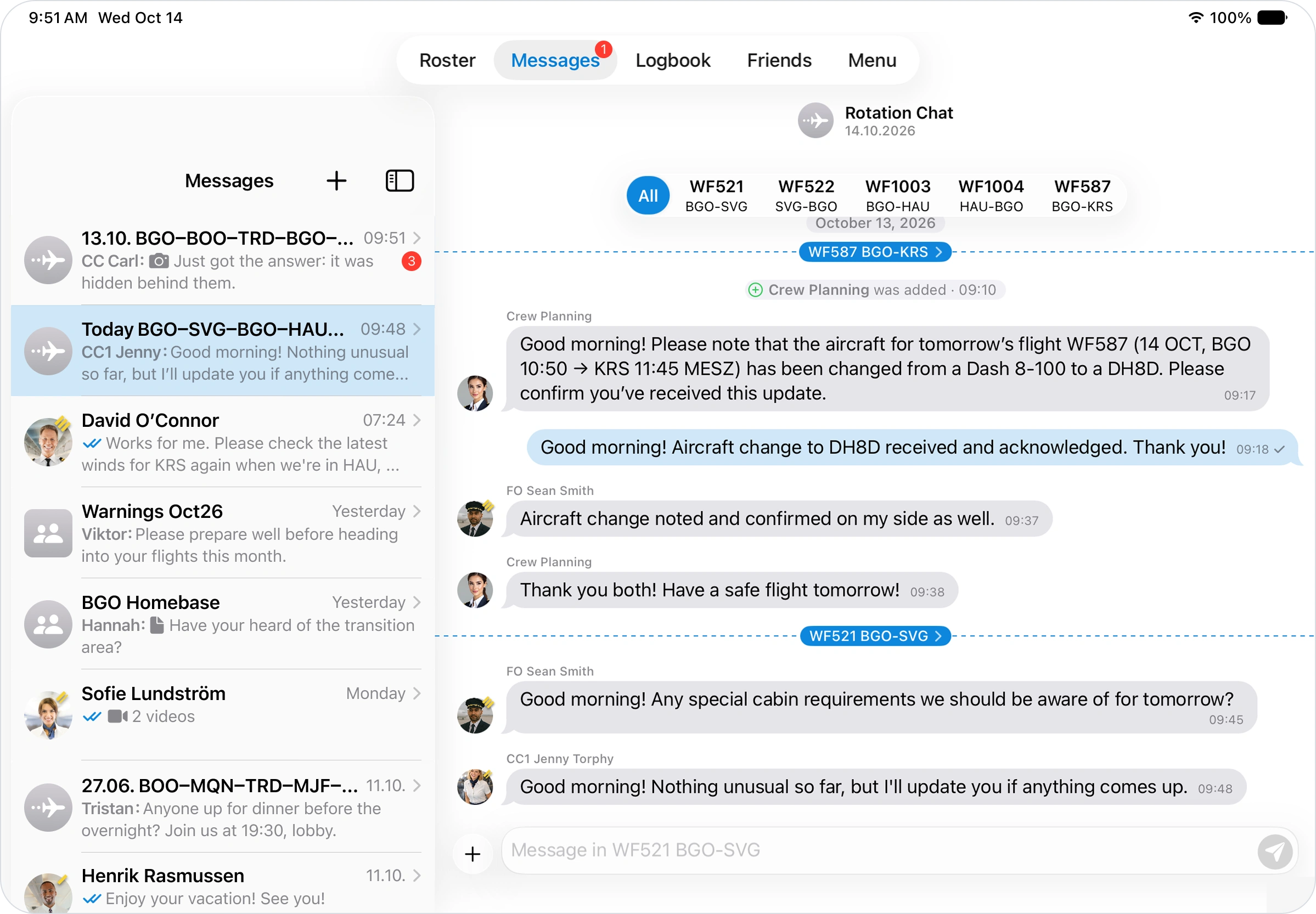
Flight & rotation communication
The right people. The right context.
Operational communication changes with every flight. OffBlock uses flight, roster and crew information to automatically create the communication structure around the actual operation.
Channels are built from the operation — not maintained by the crew.
Flight and rotation channels are automatically created based on scheduled flights and assigned crew.
Individual flights remain separate communication contexts, while all flights within a crew's daily rotation are grouped together — keeping communication structured throughout the duty.
FRA → LHR
Flight Channel 01
LHR → OSL
Flight Channel 02
OSL → FRA
Flight Channel 03
Rotation communication
Access follows the operation.
Only authorized users can access communication for the relevant flight or rotation. When crew assignments change, communication access follows the operational assignment.
This keeps flight-specific communication with the people involved in that operation — particularly when crew changes occur during a rotation.
Flight 01
Crew A
Flight 02
Crew A
Flight 03
Crew B
Connect the operation
Connect everyone involved in the flight.
Operational communication extends beyond OCC and Crew. OffBlock connects the teams involved in the operation within the relevant flight or rotation context.
OCC ↔ Crew
Operational updates, disruptions, instructions and required acknowledgements.
Crew ↔ Crew
Communication between Flight Crew and Cabin Crew within the relevant flight or rotation.
Crew ↔ Ground
Direct coordination with operational stakeholders such as Gate or Dispatch.
OCC
Flight Crew
Cabin Crew
Dispatch
Gate
When an operational situation requires communication outside automatically generated flight and rotation channels, users can also create dedicated groups for situation-specific coordination.
Drop the communication network graphic — Flight / Operation at the centre, OCC, Flight Crew, Cabin Crew, Dispatch and Gate around it
Read & acknowledgement
Know that critical information has been received.
Sending an operational message is not always enough. Authorized teams need visibility into whether relevant information has reached the intended recipients and whether acknowledgement has been provided.
Delivered
Verify that communication reached the intended recipients.
Read
See whether operational information has been read.
Acknowledged
Require active confirmation where appropriate.
Escalated
Identify outstanding acknowledgements and escalate when required.
Sent → Delivered → Read → Acknowledged
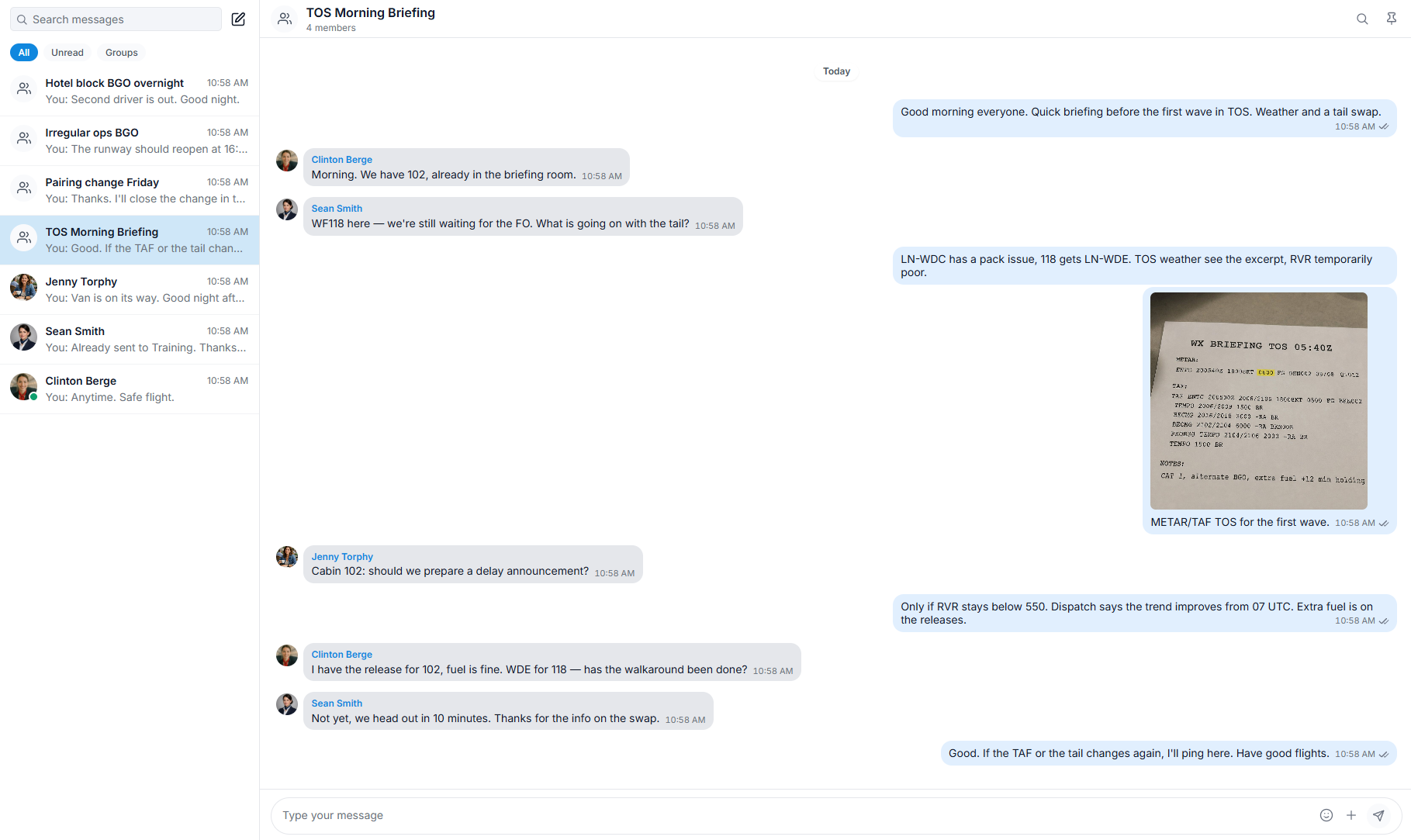
Keep operational communication where the operation happens.
Automatically structured
Flight and rotation channels built from operational data.
Relevant by context
Communication and access aligned with the people involved.
Visible and accountable
Read status and acknowledgements for operational information.
Connected across teams
OCC, Crew, Dispatch and Ground in one operational communication flow.